A guide to resolving DNS issues in Docker containers when accessing external APIs.
When developing containerized applications, sometimes the application need to fetch data from internet.Let’s say developing an ETL pipline that tracks the price of gold, (which is currently very poplular :)). There are public API endpoints available and one should be able to pull the data in a python script. For example, one can use the following script to pull data from a public API (luckily this one is free and not rate-limited).
"""
PROJECT: Real-Time Commodity Price Ingestion
DESCRIPTION:
    This script performs an automated data ingestion process to fetch
    current market prices for a specific list of financial symbols.

PROCESS FLOW:
    1. EXTRACT:
       - Loads a target list of symbols (e.g., XAU, XAG) from a local JSON file.
       - Iteratively queries the Gold-API for each symbol's real-time data.
    2. TRANSFORM:
       - Handles API connection errors by assigning "NA" placeholders.
       - Generates a dynamic timestamp for the filename, prioritizing the
         API's 'updatedAt' field, falling back to system time if unavailable.
       - Normalizes the nested JSON responses into a tabular Pandas DataFrame.
    3. LOAD:
       - Ensures a local 'landing_zone' directory exists.
       - Saves the structured data into a CSV file for downstream analysis.

OUTPUT:
    A CSV file located in ./data/landing_zone/ with the naming convention:
    priceYYYY-MM-DD-HH-MM-SS.csv
Author: Balasubramaniam Namasivayam
Date: 15/06/2025
"""

# Import necessary libraries
import os
from datetime import datetime
import requests
import pandas as pd

# Define API endpoint
url = 'https://api.gold-api.com'
headers = {"Content-Type": "application/json"}
symbol_file_path = "./data/symbols.csv"

# Load symbols from local csv. If the symbols file is not available, it can be fetched from the API and saved locally for future use.

if not os.path.isfile(symbol_file_path):
    print("Symbol file is not available. Getting symbols from `https://api.gold-api.com/symbols` and saving to local csv file.")

    # Make the API request to get symbols
    # Set up headers for the API request

    try:
        response = requests.get(f"{url}/symbols", headers=headers)
        if response.status_code == 200:
            data = response.json()
            data = pd.DataFrame(data)
            data.to_csv(symbol_file_path, index=False)
            symbols = data['symbol'].tolist()
            print(f"Symbols fetched and saved to {symbol_file_path}")
        else:
            print(f"Error fetching symbols: {response.status_code}")
    # Handle potential errors
    except Exception as e:
        print(f"An error occurred: {e}")

else:
    symbols_data = pd.read_csv(symbol_file_path)
    symbols = symbols_data['symbol'].tolist()


# Initialize dictionary to hold current prices
current_price ={}
data = None

# Fetch current price for each symbol
for symbol in symbols:
    url_symbol = f"{url}/price/{symbol}"
    response = requests.get(url_symbol, headers=headers)
    if response.status_code == 200:
        data = response.json()
        current_price[symbol] = data
    else:
        print(f"Error fetching price for {symbol}: {response.status_code}")
        current_price[symbol] = "NA"

# Validate timestamp
# This uses the timestamp from the last successful API call in the loop
if data and data['updatedAt']:
    latest_time = data["updatedAt"].replace(":", "-")
else:
    # Fallback to system time if API timestamp is unavailable
    latest_time = datetime.now().strftime("%Y-%m-%d-%H-%M-%S")

#Ensure landing zone directory exists before saving the output file
os.makedirs('./data/landing_zone/', exist_ok=True)
output_file = f'./data/landing_zone/price{latest_time}.csv'

# Convert the current price dictionary to a DataFrame and load as CSV
current_price = pd.DataFrame.from_dict(current_price, orient='index')
current_price.to_csv(output_file, sep=',', index=False)

# Print confirmation message for logging
print(f"Price data saved to {output_file}")
This script works perfectly in a local machine and saves the clean data into the destination of the pipeline. Great!
But challenge arises when you want to containerize your application. Yes using docker-compose.yml, one can create a bridge network and you can orchestrate the communication between containers. I have previously written about it here . But you might want to verify the image before you orchestrate and when you build the app image using Dockerfile, with the command docker build -t <your-img-tag> ., you will get the image be built without any problem. But when you run the app locally to verify it works as intended, you will get ConnectionError because the container is isolated from your local network.
So how does one solve this problem?
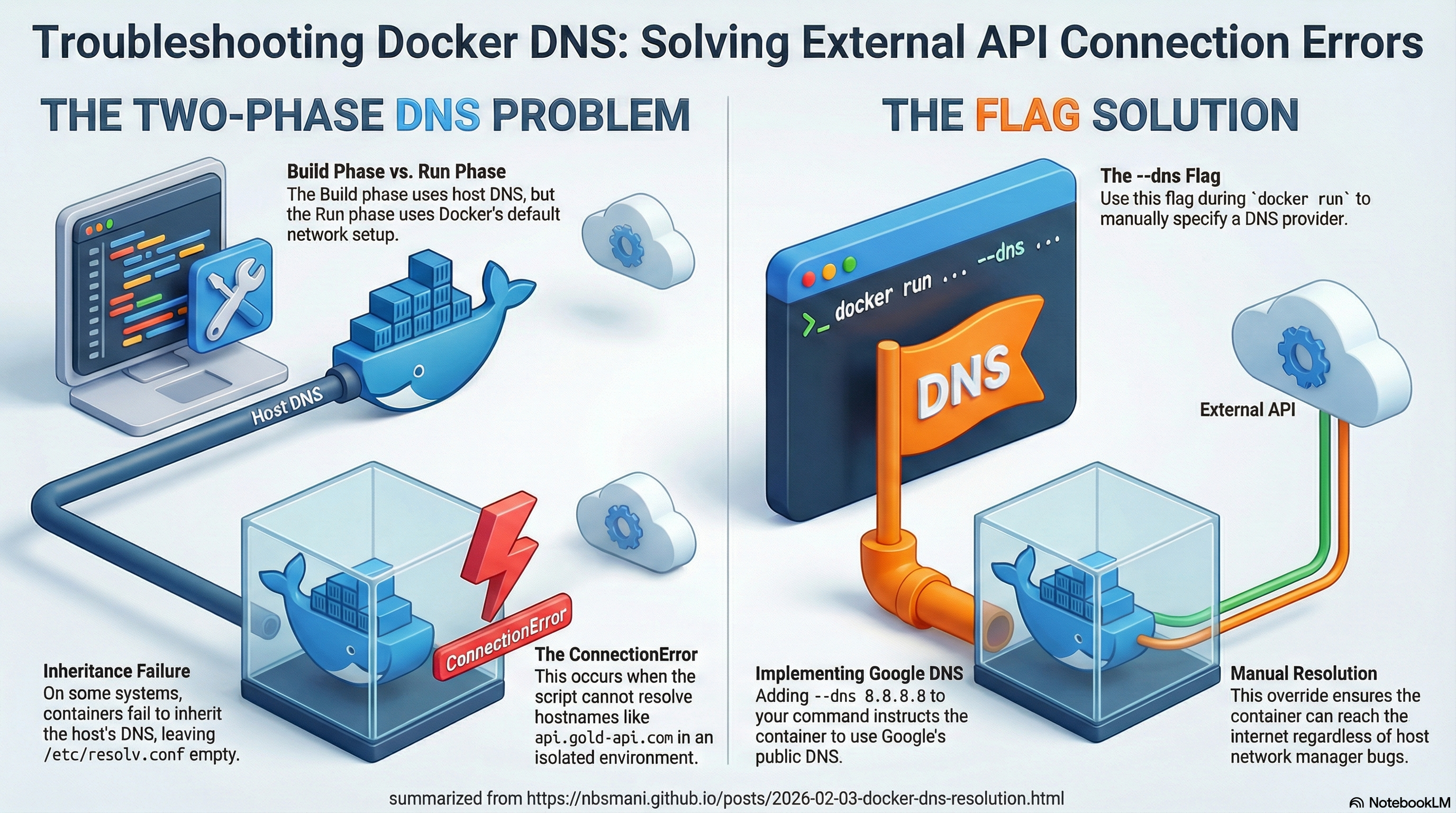
This is where --dns flag comes into play. you can simply instruct the image to resolve the ipaddress to a public server (such as google’s dns service) That single flag, --dns 8.8.8.8, instructs the container to use Google’s public DNS server for resolving hostnames.
Why Does This Happen?
The Two-Phase Network Problem
Build Phase: During
docker build, Docker uses your host’s DNS configuration. That’s whypip install(which needs to resolvepypi.org) works fine.Run Phase: When
docker runexecutes, the container starts with Docker’s default networking setup, which may not include functional DNS servers. Your script tries to resolveapi.gold-api.com, fails, and throws aConnectionError.
Understanding Docker’s Default DNS Behavior
By default, Docker containers use the host’s DNS settings. However, in some configurations (especially on Linux without systemd-resolved or with certain network managers), this inheritance breaks down. The container ends up with an empty /etc/resolv.conf or one pointing to a non-existent DNS server.